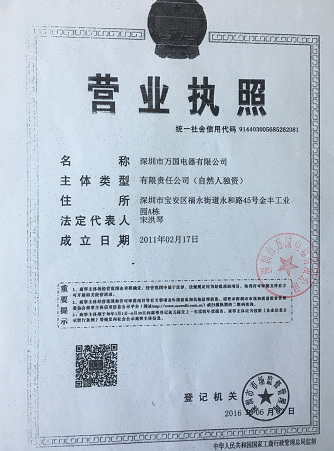
Welcome to visit the official website of Shenzhen Wanguo Electric Co., Ltd!


17 years focus on commercial display field
LED LCD R & D production sales service
Products
55EG7 Double-sided Advertising Machine WiFi Android Synchronous and Asynchronous Display
Keyword: 55EG7 Double-sided Advertising Machine WiFi Android Synchronous and Asynchronous Display
- Description
- Product parameters
- Recommended similar products
-
- Commodity name: 55EG7 Double-sided Advertising Machine WiFi Android Synchronous and Asynchronous Display
- Commodity ID: 55EG7
- 产品基本介绍: Crystal glass frame (original) Android 11 version 4+32G memory High-brightness vertical double-sided advertising machine
55CunVerticalDouble-sidedAdvertising machineSpecification-Ultra-thin Android version
- Product features
WG55EG7 VerticalThe double-sided poster screen is a new ultra-thin all-in-one product launched by our company. The product features are as follows:
- Mainstream professional Android in the marketAndroid solution design, good heat dissipation, stable performance, and easy maintenance.
- High-brightness screen,1080P high-definition resolution, ultra-wide viewing angle LCD panel, avoids the blind area of view of ordinary similar products on the market, and further improves the display effect.
- This product adopts an ultra-narrow bezel and an ultra-thin body, with a total thickness of only20mm;
- The double-sided screen displays the picture synchronously, and customers can receive the visual impact of video and pictures brought by the News release at the same time, increasing the attraction and publicity to flowing customers and potential customers;
- Abandon the traditional way of passive reception of advertising, which is troublesome to change posters, has no video, and has monotonous pictures, bringing a more intense advertising effect;
- Concealed wiring design for network cables and power cords, resulting in a better overall appearance;
- In terms of system design, we inherit the stability and advancement of the sign series products to provide customers with a consistent management experience.
- Product appearance
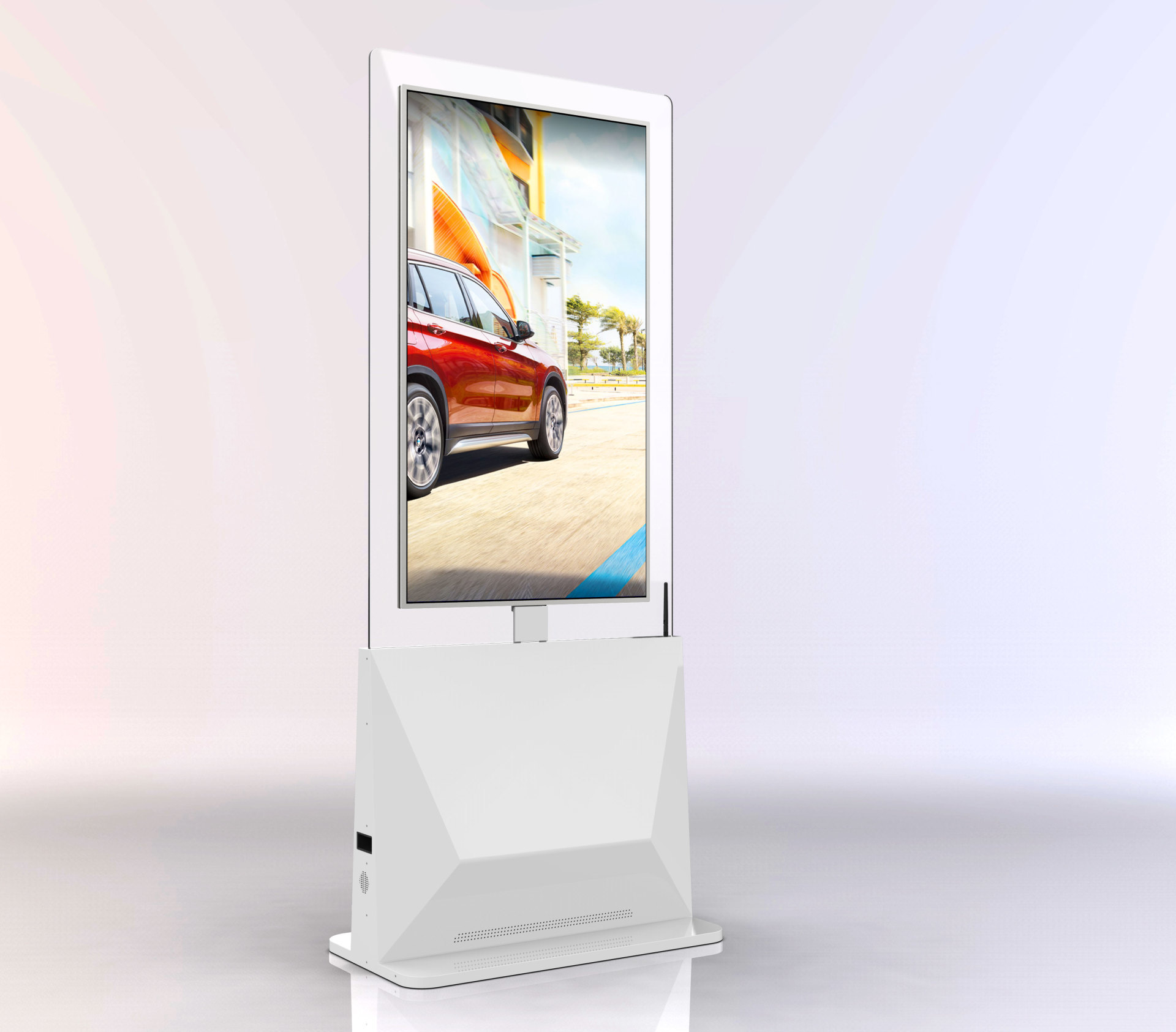
Product Specification
1.
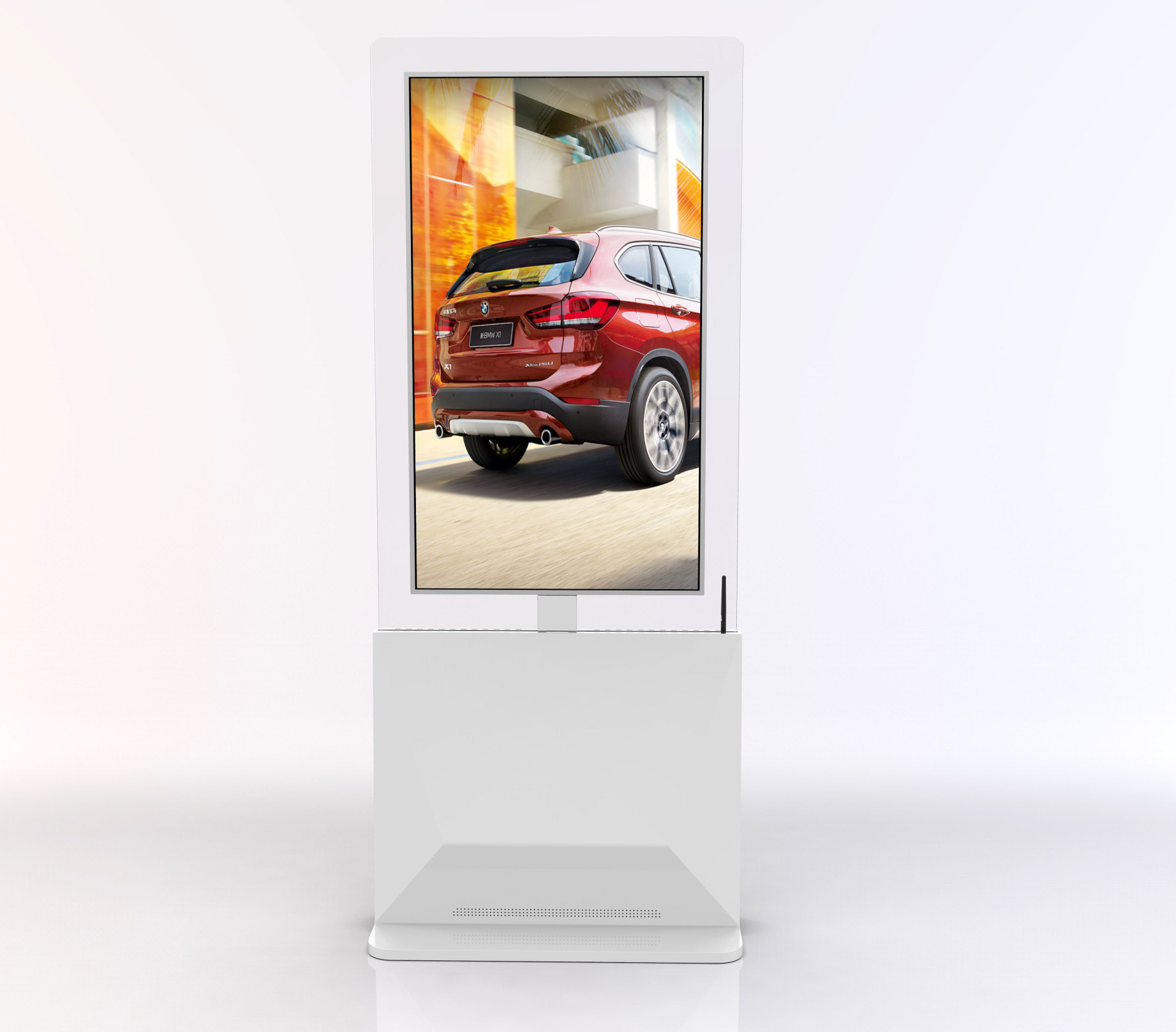
Our company's independent appearance design has applied for an appearance patent
2.
Uses a full-aluminum back panel for self-heat dissipation, and the three sides of the body (left/right/bottom) have openings to facilitate heat dissipation
3.
Unit: Length905mm Width 520mm Height 2068mm
4.
Bottom extensionUSB*2, Infrared remote control*1 Power interface
Display screen main indicators
Maximum Resolution
1920×1080Progressive scan
Viewing Angle (CR>10)
178(Horizontal); 178º(Vertical)
Color
16.7MColor
Brightness
ConventionalBrightDegree screen double-sided>430cd/m2
SpecificHigh brightnessA-side>430cd/m2 B-side>700cd/m2(Price is different)
Contrast Ratio
>1400: 1
Signal Response Time
<8ms
Viewable Area
680.4(H)×1209(V)
Backlight Type
LED
LCD Panel Brand
LG
Backlight Lifespan
>50000 hours
Android Configuration
CPU
Quad-core Android 1.8GHz and above
GPU
GPU Mail-T764
MemoryRAM
2G (optional 4G)
StorageROM
16G (optional 32G)
External Storage Expansion
TF card (supports up to128G)
External Interfaces
USB × 2, RJ45× 1
Ethernet
Support 10/100M
Wifi
Supportwifi 802.11 b/g/n 2.4GHz
Remote Control
Supports infrared remote control
Software Configuration
Operating System
Android 11.0and above
Basic Software
Web browsing, online chat, email, ebooks, file explorer, clock, alarm clock, calculator, recording, etc.
Features
Remote software control for timed on/off
Dual-screen display, inner and outer screens can play different content
Dual-screen control, inner and outer screens can be set for different timed on/off periods, for example, the inner screen can be set to turn off at18:00and the outer screen can continue playing, for example, it can be set to21:00to turn off.
Real-time remote monitoring,7*24 hours unattended
Supports automatic vertical screen configuration
Supports wireless screen mirroring (optional)
Supports remote upgrades
Functional Specifications
Supported video formats:
Support AVI (H.264, DIVX, XVID), rm, rmvb, MKV (H.264, DIVX, DIVX, XVID), WMV, MOV, MP4 (H.264, MPEG, DIVX, XVID), FLV (H.263, H.264), TS, 3GP, MPG and many other formats
Supported image formats:
BMP, JPEG, PNG, GIF and other common formats
Supported audio formats:
MP3, WAV, WMA, AAC, 3GP and other common formats
Volume
Adjustable via management platform
Automatic timed on/off
Support
Playback Mode
Loop playback, insert playback, timed playback, fixed number of times playback, etc.
Electrical Specifications and Product Dimensions
Power Supply Specification
Input voltage range:AC100V to 240V
Speaker power
5W×2
Maximum power consumption
≤250W
Standby power consumption
≤1W
Operating temperature
0℃~40℃
Operating humidity
10%~90%, non-condensing
Storage temperature
-20℃~60℃
External Dimensions
Length905mm Width 520mm Height 2068mm
Installation method
VerticalFloor-standing
Net weight
55KG
Accessories
Manual
×1 set
Remote Control/Battery
×1 set
Wifi antenna
×1
Power cord
×1
Hanging accessories
×1 set
Product appearance
Software Description:
Upload, create folders, copy, paste, delete, search, drag and drop materials into folders, etc.
Supports different material types (images, backgrounds, videos, music,word, excel, ppt, PDF, web pages, streaming media, apk, buttons)
Template import/Export, select all/Cancel selection, single selection/Multiple selection, sharing/Cancel sharing function
Page creation:
Template filtering, template search, and template creation pop-up settings on the program creation pagePage creation:
Template filtering, template search, and template creation pop-up settings on the program creation pagePage creation:
Template filtering, template search, and template creation pop-up settings on the program creation pageProgram scenes:
1. Add, delete, copy, and set the duration of the main scene.
1. Add, delete, copy, and set the duration of the sub-scene.Program scenes:
1. Add, delete, copy, and set the duration of the main scene.
1. Add, delete, copy, and set the duration of the sub-scene.Add jump:
1. Image jump to image, video, scene, web page jump function, jump return time function
Set jump (touch):
1. Image jump setting function, including adding, deleting, replacing, and dragging jump materials.
2. Add, delete, edit, button style, and actual button effects for buttons such as previous, next, home, close, double-click to exit, left and right swipe selection, left and right page turning, and up and down scrolling.Set jump:
1. Image jump setting function, including adding, deleting, replacing, and dragging jump materials.
2. Add, delete, edit, button style, and actual button effects for buttons such as previous, next, home, close, double-click to exit, left and right swipe selection, left and right page turning, and up and down scrolling.Box selection alignment:
Left alignment, horizontal center, top alignment, right alignment, vertical center, bottom alignment, horizontal distribution, vertical distribution box selection functionBox selection alignment:
Left alignment, horizontal center, top alignment, right alignment, vertical center, bottom alignment, horizontal distribution, vertical distribution box selection functionControl right-click properties:
1. Control delete jump, add jump, copy, paste, fill, delete, top layer, bottom layer, previous layer, next layer function
Right-click properties of control elements such as text, images, videos, music, Word, Excel, PPT, PDF, mixed broadcast, weather, date, countdown, web pages, streaming media, exchange rate dynamics, stock dynamics, APK, and signal sourcesPublish Settings:
1. Function to control the playback priority order of normal programs, inserted programs, exclusive programs, and filler programs
2. Program broadcast date, terminal selection, save, and submit publication functions
3. Organization tree in the device selection interface, selection, search, and conditional filteringPublish Settings:
1. Function to control the playback priority order of normal programs, inserted programs, exclusive programs, and filler programs
2. Program broadcast date, terminal selection, save, and submit publication functions
3. Organization tree in the device selection interface, selection, search, and conditional filteringPublish Settings:
1. Function to control the playback priority order of normal programs, inserted programs, exclusive programs, and filler programs
2. Program broadcast date, terminal selection, save, and submit publication functions
3. Organization tree in the device selection interface, selection, search, and conditional filteringFunctions such as program search, sorting, editing, publishing, deleting, viewing details, previewing, and pagination. When editing, the content of program production can be repeated.3.1-3.10
Publication progress statistics in the publication details pop-up interface
Delete program from specified terminal
On the playback schedule creation page, functions such as setting the schedule name and broadcast date of the playback schedule, adding programs (including program search, pagination, sorting, preview, and selection), adding playback time slots, dragging time slots, saving, and next steps
Functions such as saving messages, next step, message name, message type, message content, message type, playback speed, start time, end time, font size, font color, background color, and background transparency
Functions such as message search, sorting, editing, publishing, deleting, viewing details, previewing, and pagination
Delete message from specified terminalOn the pending review page, functions such as playback schedule search, sorting, review, pagination, and list layout
On the reviewed page, functions such as playback schedule search, sorting, preview, export, and pagination
On the pending review page, functions such as program search, sorting, review, pagination, and list display
On the reviewed page, functions such as program search, sorting, viewing, export, pagination, and list display
On the pending review page, functions such as message search, sorting, review, pagination, and list display
On the reviewed page, functions such as message search, sorting, detailed information, pagination, and list display
Terminal list, terminal status, terminal preview window, program formatting, program list, program deletion, restart, shutdown, standby, power on, refresh screenshot, working time, historical screenshot, and terminal volume functions
Terminal monitoring interface search function
Functions such as scheduled power on/off, volume setting, port setting, screenshot setting, online upgrade, and formatting
Add display of status icons and point limits
User information display and modification functions
Functions such as user creation, search, sorting, modification, deletion, pagination, and list display
Permission entry for users with different permissions, homepage permission entry, and secondary menu bar entryUnder My Organization, functions such as organization refresh authentication, deauthentication, refresh customized authentication, add, edit, delete, assign, and expand hierarchy
Organization Management Enterprise Organization Mark
Organization Management Offline Authentication Function
Material resource sharing (enterprise) and sharing organization relationships under different account roles.
Management permission relationship of different organizational rolesCustomized website background, companylogoProgram production, scheduled sending, and program review customization functions
Function for different customers to create their own secondary domains
Organization information display and modification functions
Message list display, deletion, and clearing functions
1.Program review, material review, sharing review switch functions, preview, intelligent point allocation, and display settingsIPSettings function
2.SMS Configuration
Adjust the order of program controls, control whether to allow the use of specified controls, and add third-party data controls
Can control the hard disk space allowed for each enterprise and organization
Convenient for not providing to downstream customers, terminals can automatically assign permissions when connected
User Sign In function
According to the organizationIDUser registration function
Function to register users based on organization name
Password retrieval function
Material upload, program production, and full publishing process
Data such as program publishing status and terminal online status
Edit announcement content in Chinese and English
User logs into the system, announcement information prompt in the lower right corner
Turn some into enterprises, customer tables reflect customer relationships
Replace domain names with customer company names and provide access
Customer access, you can see your company'sLOGOIcons and copyright information
Key words:- 双面广告机
- 广告机厂家
- 广告机
- 55寸双面屏
- 双面屏厂家
- 万国电器
- 双面屏广告机
Recommend products
86-inch AI Holographic Pod | Universal Immersive Interaction Solution | Enterprise-Level Commercial Equipment
Technical Parameters Ultra-Large Visual Field: 86-inch holographic display with 160° horizontal field of view, 120° vertical field of view, supporting 4K real-time rendering. Millisecond-Level Response: AI algorithm latency <5ms, gesture/voice command recognition accuracy 99.3%. Multi-Terminal Collaboration: Supports seamless screen casting for PC/mobile/VR devices, compatible with Unity/Unreal engines. AI Function Highlights Intelligent Environmental Adaptation: Built-in light sensor automatically adjusts brightness and contrast to suit the environment. Upgraded Human-Computer Interaction: Supports 20 types of gesture recognition, real-time translation of 6 languages, and emotion feedback analysis. Enhanced Data Security: Edge-side AI chip encryption, compliant with GDPR/Grade Protection 2.0 standards. Scenario-Based Solutions Enterprise Exhibition Hall: Restores cultural relic details and simulates mechanical disassembly, increasing customer interaction rate by 200%. Medical Training: 1:1 holographic anatomical model supports multi-person collaborative labeling, saving 90% of consumable costs. Remote Conference: Generates 3D virtual avatars with limb movement synchronization accuracy of ±0.5mm.
See more +
Digital Human Holographic Pod + 86-inch Holographic Pod = Intelligent Voice Interaction & Virtual Human Synthesis
86-inch Holographic Pod AI Digital Human Device Unaided-eye 3D Holographic Pod
See more +
65-inch Double-sided Display Advertising Machine: Leading the New Trend of Advertising
75-inch holographic cabin transparent cabinet AI intelligent voice docking software system
75-inch cylindrical holographic display AI holographic transparent cabin
The AI holographic transparent cabin attracted a large number of viewers to stop and experience it. The virtual person presented on the transparent screen in a three-dimensional form danced gracefully, as if in a real world. The AI holographic transparent cabin is an innovative application combining artificial intelligence and holographic projection technology. Utilizing computer graphics and artificial intelligence algorithms, the digital person is presented in a realistic image in the holographic projection device. "Currently, the product has been applied to banks, subways, enterprise exhibition halls, and shopping mall advertising interactions."
See more +
OLED transparent screen, 55-inch wall-mounted OLED transparent screen
An OLED screen is a display manufactured using organic light-emitting diode (OLED) technology. Compared to traditional liquid crystal displays, OLED screens have many advantages. First, OLED screens can achieve higher contrast and a wider color gamut, making images clearer, more delicate, and more realistic. Their unique self-emissive properties allow each pixel to be independent, eliminating the need for a backlight, thus achieving true deep blacks and high brightness. In addition, OLED screens have faster response speeds, allowing for smoother dynamic images, suitable for watching videos and playing games. Secondly, OLED screens are thinner, lighter, and more flexible. Because OLED screens do not require a backlight and can use flexible substrate materials, thinner, lighter, and more flexible displays can be manufactured. This allows OLED screens to be used in various devices, such as smartphones, tablets, and wearable devices, and enables innovative designs such as curved screens and foldable screens. Furthermore, OLED screens also have lower power consumption and better energy efficiency. Because each pixel can emit light independently, OLED screens can dynamically adjust brightness according to the displayed content, thereby reducing power consumption. When displaying black or dark content, the screen can completely turn off the corresponding pixels, further saving energy. This allows devices to extend battery life, providing longer usage time. In summary, with its excellent image quality, thin and light weight, and low power consumption, the OLED screen has become an important development direction of modern display technology. It brings users a better visual experience and promotes the innovation and development of electronic devices.
See more +
Holographic pods, holographic cabinets, transparent screens, AI human-computer interaction, the future exhibition halls and pavilions of digital humans, a new experience
55-inch double-sided advertising machine, Android system, double-sided display can be the same or different, vertical advertising machine
55EG7 Double-sided Advertising Machine WiFi Android Synchronous and Asynchronous Display
Complete Categories
Save worry and effort, buy all at one stop.
One-to-one customer service
Selection inquiry, fast response
Delivery Guarantee
Multi-warehouse straight hair, worry-free delivery period
Genuine Supply
genuine goods security, integrity services
National Hotline:13430872800
Liu Guohua (Chairman):13430872800
Telephone:86-755-29929990
E-mail:wanguotv@126.com
Copyright©2025 Shenzhen Wanguo Electric Co., Ltd. All rights reserved.